
Salesforce and WordPress in 2026: Making Integration Work
Your website is the front door; your CRM is the living room where revenue conversations actually happen. When those two rooms connect cleanly, the whole house runs better.
WordPress powers roughly forty three percent of all websites, which means a lot of first impressions begin on a WordPress page. If handoffs from forms and signup flows don't reach Salesforce quickly and accurately, pipeline gets fuzzy and forecasting starts to wobble.
Response time matters more than most teams realize. The classic HBR study found the average firm took 42 hours to reply to a web lead, and a large share never responded at all. That's a lot of missed conversations. The research also showed meaningfully higher contact and qualification rates for companies that replied within an hour, which is exactly where automation and routing help.
That's why business leaders are starting to prioritize Salesforce integration services that bring two of the most important parts of their tech stacks together.
If you're tired of gaps between tools leading to gaps in your revenue, here's everything you need to know about aligning WordPress and Salesforce, the right way.
The Benefits of Connecting Salesforce and WordPress

Websites start conversations. CRMs close them. When those two don't talk, energy leaks fast. WordPress gathers intent, questions, curiosity. Salesforce turns that intent into pipeline, but only if the handoff works. The gap between those systems is where responses slow down, ownership blurs, and opportunities evaporate. There's a blunt truth here: half of sales go to the vendor that responds first. If you're second, you're already negotiating uphill.
So why do companies actually wire WordPress to Salesforce? It's rarely for fun. It's to solve messy, expensive, fixable problems like these:
- Leads that arrive instantly, not eventually: A demo request at 3:12 PM should be routed, tagged, enriched, and assigned by 3:13. No exports. No shared inbox purgatory. Just clean delivery with UTM, region, and topic attached.
- Marketing that adapts instead of assumes: A pricing guide download can enroll someone into a tailored nurture path instead of a generic blast. Behaviour becomes the trigger, not the guess.
- Campaign dollars that finally make sense: UTM values captured on form submission mean you can follow the thread from ad click to closed deal without spreadsheets or guesswork.
- CRM data people actually trust: Records flow straight from the source, fully formed. Fewer duplicates. No mystery fields. Reps stop asking, "where did this lead come from?"
- Customer context that feels stitched together: Support sees the last form filled, the ads clicked, the assets viewed, and the purchase timeline in one place. Conversations feel informed instead of investigative.
This is about making Salesforce reflect reality, live, while WordPress feeds it the truth as it happens.
Popular ways to connect WordPress and Salesforce
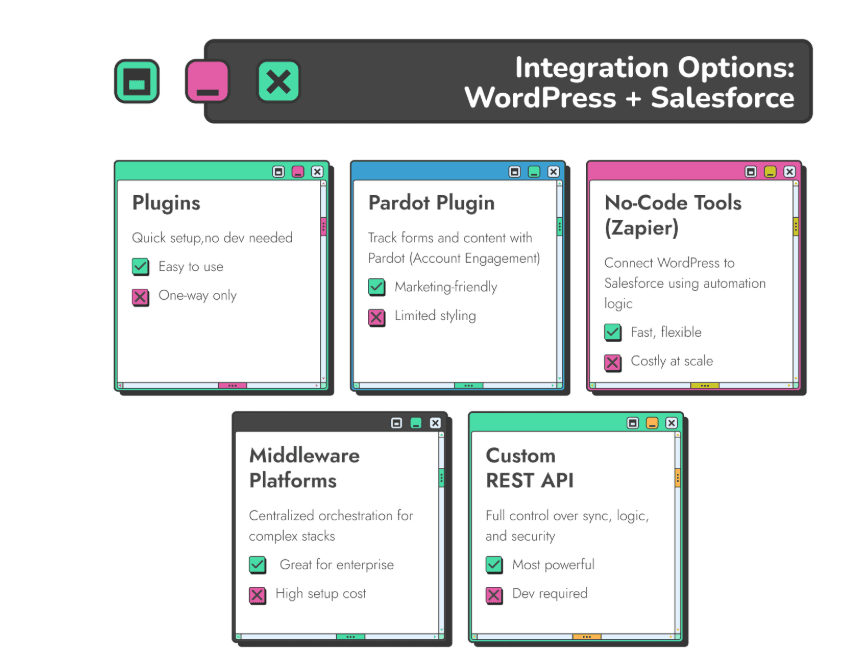
You do have options here, the tricky part is figuring out which one actually works for what you need, and which one is going to cause you the least headaches.
1. Form Plugins + Salesforce Add-Ons

This is the entry point most teams choose. Pick a form builder, wire in the Salesforce connection, map fields, press save. If your job's simple, this option just works. You rarely need engineering unless you start asking for conditional logic or multi-object updates.
Pros
- Set up in an afternoon, no dev queue needed
- Friendly to experiments and small launches
- Clean mapping to standard CRM fields
Cons
- Mostly one-way trips into Salesforce
- Struggles with advanced logic or relational data
- Design control can be awkward on embedded forms
- Account Engagement (Pardot) + WordPress Plugin
2. Account Engagement (Pardot) + WordPress Plugin
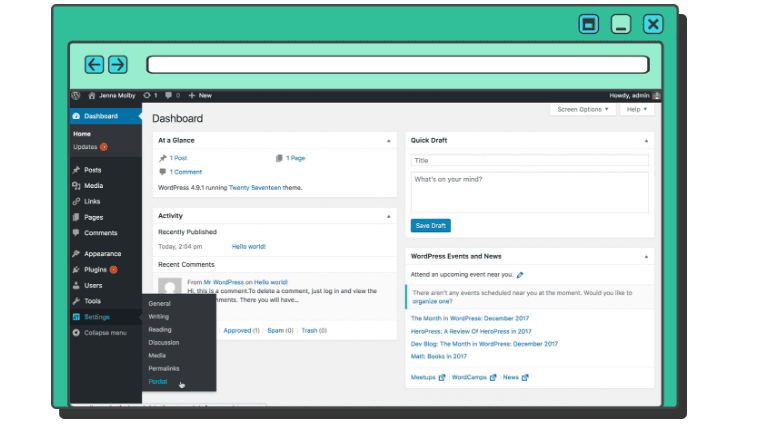
If your marketing team lives in Account Engagement, this option feels natural. Install the plugin, drop the tracking code, place forms, let the platform do the heavy lifting. The big win is behavioral tracking that ties browsing, form fills, and scoring to a known person.
Pros
- Marketers can ship without developer intervention
- Visitor behavior enriches lead profiles automatically
- Plays nicely with nurture and scoring
Cons
- Form styling is restricted by iframe rendering
- No support for writing to custom objects
- Limited control over page-native form design
- No-Code Connectors
3. No-Code Connectors
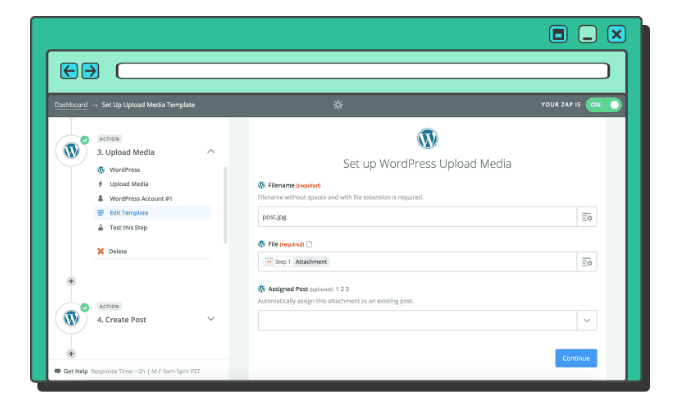
Think automation builders like Zapier, Make, or similar. These are popular for stitching together small workflows that don't justify custom builds. If all you need is "If This, Then That" logic, this option could definitely work for you.
Pros
- Fastest path from idea to live workflow
- Massive ecosystem of supported apps
- Good for lightweight automations
Cons
- Gets expensive when volume ramps
- Debugging failures can feel like detective work
- Not always the most secure picks
4. Integration Platforms
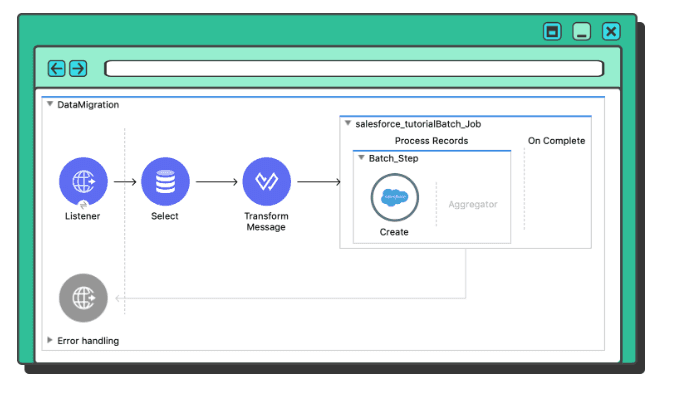
When WordPress and Shopify are just two parts of a big puzzle, centralized automation starts to make sense. These platforms let you map data visually, monitor failures, and version your workflows without chasing custom scripts scattered across repos.
Pros
- Clean overview of all active automations
- Ideal for multi-system environments
- Strong monitoring and error tracking
Cons
- Subscription cost climbs fast
- Internal ownership is required day-to-day
- Still bound by Salesforce API limits and logic constraints
5. Custom API Connection
This is the custom-tailored suit version. Direct calls to Salesforce via REST API, your business rules hard-coded into the flow, and full discretion over authentication, routing, queuing, and fallback logic.
Pros
- Built to your exact rules, not a template
- Strongest path for security and scale
- Can grow with you instead of boxing you in
Cons
- Requires development time and ownership
- Needs monitoring and error handling built deliberately
- Not a "set it and forget it" in the early months
Plugin or Custom, Which Makes Sense and When?
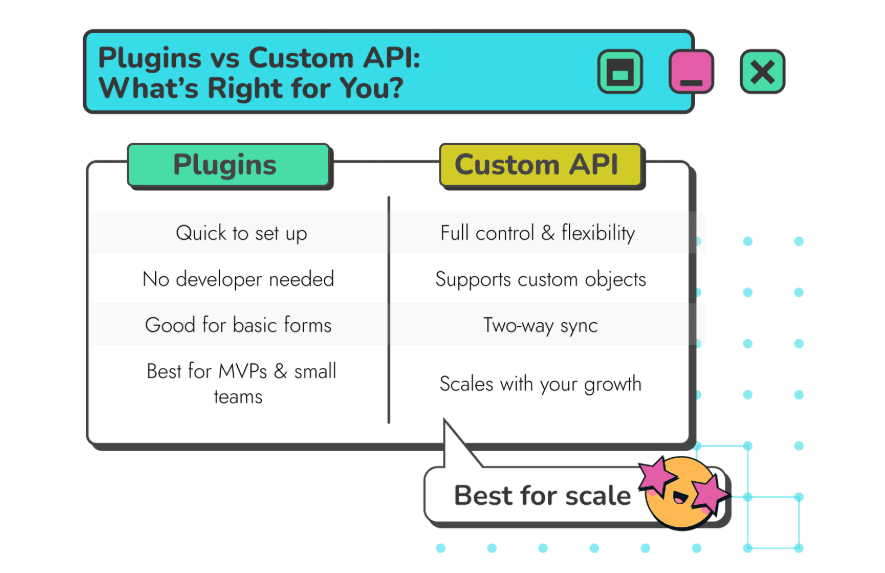
When your WordPress site has a small number of forms and the job is simple, capture details, attach a campaign tag, push to Salesforce, plugins are often enough. A good form add-on can map fields, pass UTM values, and create a Lead without much friction. For early-stage teams or controlled launches, that simplicity is a virtue.
The tension shows up when the rules stop being simple. The moment you introduce conditions like:
- Route by region, brand, product line, or intent
- Create an opportunity or case at the same time as a lead
- Write to custom objects or relate records to existing accounts
- Check for duplicates before salesforce receives anything
- Grant or revoke WordPress access based on a CRM field
- Enforce different handling for different languages, countries, or compliance requirements
Custom WordPress Salesforce integration becomes the reliable path when your lead flow isn't linear. A direct REST API connection lets you shape the journey: route leads by source and context, bundle multiple object writes in one transaction, validate before commit, and sync data both ways when WordPress needs to update user state. You control authentication, retries, rate limits, error logging, and escalation rules.
The REST API RoadMap made Simple
A custom API integration is less like assembling furniture and more like commissioning it. There's measuring, joinery, precision, and no spare screws at the end. Done well, it outlasts trends, plugins, and frantic maintenance cycles.
1. Create the handshake, a Connected App
Inside Salesforce, a Connected App is the bouncer, the ID scanner, and the permissions slip in one. It issues a client ID and secret, and defines how the outside world is allowed to talk to your org.
You'll typically enable scopes like:
- API to read and write data
- refresh_token to renew sessions without constant logins
- openid and ID if WordPress needs insight on user identity
2. Decide the instructions before writing the code
Ask questions you can test later:
- Does every form submission deserve a CRM record, or only certain ones?
- Should UTMs, page URLs, product interest, region, or offer type travel with the payload?
- What triggers ownership, a territory rule, a lookup table, or logic written in the API layer?
- If the request mentions Product Alpha and the company fits enterprise criteria, route it to a specialist queue.
- If an email already exists in Salesforce, update the Contact and log activity instead of creating a new Lead.
- If the intent is support, generate a Case and set priority based on customer status.
3. Choose your sync direction, one-way or two-way
Many setups only push into Salesforce. Others need a round trip. When WordPress has membership levels, course access, gated resources, or account dashboards, that return flow matters.
Two-way sync unlocks things like:
- Granting or restricting site access when a CRM field changes
- Updating subscription or contract status in WordPress automatically
- Displaying personalized content based on Salesforce data
- Triggering workflows in WordPress without manual updates
4. Build resilience into the design
Failures are normal. Silence is not. Make sure your build includes:
- Structured logs that record success, failure, payload, and response
- Automatic retries with backoff, not infinite loops
- Alerts that reach a human before someone notices missing leads
- A dedicated integration user in Salesforce so audit trails make sense
- Token monitoring so authentication failures don't snowball
- Clear HTTP handling for 2xx, 4xx, and 5xx responses, all treated differently
5. Test like you mean it
Don't just test "can it send data?" Test for:
- Precision, did it write to the right object, owner, campaign, and lookup?
- Behaviours, what happens with duplicates, missing fields, bad format, or dropouts?
- Load, can it handle spikes without hitting rate limits?
- Recovery, if Salesforce refuses a request, does it retry, queue, or alert?
Make Integration Your Power Move
When WordPress and Salesforce actually get along, everything downstream works smoother. Leads land where they should, their origin makes sense without detective work, and no one ends a week untangling CSV files.
Treat this link like something alive, not a box you tick during a site rebuild. Revisit it periodically, the same way you'd check numbers before a board call or refresh a campaign brief. Make sure forms ask for what matters now, routing still follows your sales motion, and alerts fire before small issues grow teeth. Tiny adjustments, made often, beat giant cleanups done late.
The result is a site that greets visitors with confidence and a CRM that reflects reality. That is how you shorten cycles, protect data quality, and build momentum without burning time on rework.